
To track student progress as a language tutor, follow three numbers per student: accuracy on their current target skills, where exactly they struggle (which exercise, which error) and how consistently they practise between lessons. Those three prove improvement to anyone. Hours of class and vocabulary counts only decorate a spreadsheet.
This guide covers what's worth tracking, a free student progress tracker template for the spreadsheet method (and that method's honest limits), and how per-exercise diagnostics turn tracking from Sunday admin into something that happens by itself.
Why track student progress? It keeps students paying
Nobody quits tutoring because the lessons are bad. They quit because they can't feel the progress anymore, usually somewhere in the intermediate plateau, when the easy wins are gone and improvement turns incremental and invisible.
That's a perception problem as much as a pedagogy problem, and tracking is the fix for both:
- Perceived value. A student who sees their error rate on the passé composé fall from 40% to 10% over six weeks has a concrete answer to "is this worth €40 an hour?" A student who only remembers pleasant conversations does not.
- Better teaching. The research on formative assessment (checking understanding and adjusting instruction on the evidence) is some of the strongest in education: Black and Wiliam's review found typical effect sizes of 0.4 to 0.7, larger than most of those found for educational interventions.1 You can't adjust to evidence you never collected.
- Renewal conversations. Parents deciding whether to rebook a term, HR departments funding language training, adults justifying the budget to themselves: all of them respond to a one-page progress picture.
What to track: skills, errors, consistency
The failure mode is tracking what's easy instead of what's informative. Hours attended, units completed, words "learned": all countable, none of them evidence of acquisition.
What actually earns its column:
- Accuracy per target skill, over time. Not a global score, but a line per thing you're currently teaching: passé composé auxiliaries, present perfect vs. past simple (our Present Perfect guide builds that one as a four-module path), B2 connectors. Three to five live skills per student is plenty.
- Error specifics. The wrong answers themselves. "Chose have went twice" is teaching material; "got 6/10" is trivia.
- Retry behaviour. Self-corrected on the second attempt is learning; five attempts and a guess is a gap. Two students with identical scores can be in completely different places.
- Between-session consistency. Did practice happen at all, and was it spread across the week or crammed the night before? Spacing is one of the two techniques rated "high utility" in a review of ten common learning techniques,2 so consistency is a leading indicator of everything else.
- A level anchor, occasionally. A CEFR self-assessment grid or a mock exam section once a term connects your micro-data to the scale students and employers actually recognise.3
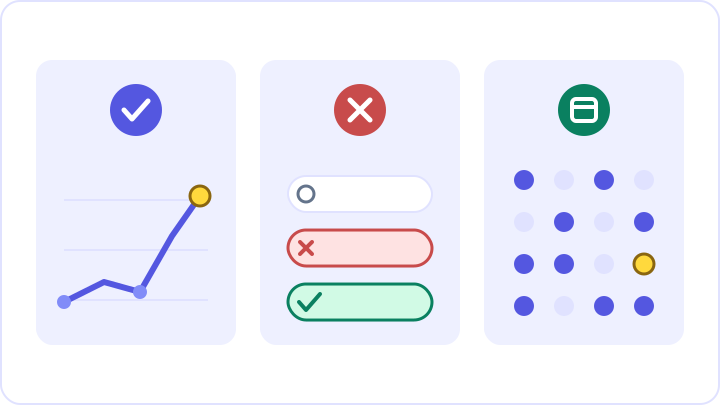
Notice what's not on the list: streak length as a goal in itself, XP totals, minutes-in-app. Those are motivation mechanics: useful for getting practice to happen (they're why our student view has them), but they measure engagement, not acquisition. Report them as context, never as progress.
A free student progress tracker template (and the spreadsheet's limits)
Let's be fair to the spreadsheet: at three to five students, it works. One tab per student; a row per check-in, with the date, the skill, the task type, the accuracy, an example of the error and a note on the next step. Ten minutes after each lesson, and you'll be more systematic than most tutors ever get.
That is exactly the template we give away: the student progress tracker for Excel has those six columns, one sheet per student and a filled-in example sheet (the B1 student from the worked example below); the CSV version opens in Google Sheets, Numbers or any spreadsheet app.
The limits show up on schedule:
- It only knows what you type. Everything from the lesson itself is fine. Everything between lessons is invisible, unless you interrogate the student and transcribe the answers.
- It decays under load. At 10–15 students, "ten minutes after each lesson" becomes the task you skip on busy days, and a half-filled tracker is worse than none: it looks like evidence but isn't.
- It can't see micro-behaviour. No spreadsheet records that question 7 took ninety seconds, or that the student changed their answer twice. Yet that's precisely the fragile-knowledge signal you want.
- Students never see it. A tracker that lives in your Google Drive does nothing for the student's own sense of momentum.
| Spreadsheet | Generic quiz app | Classroom LMS | Tutor-specific tool | |
|---|---|---|---|---|
| Captures between-session work | ✗ manual | ✓ scores only | ✓ | ✓ per attempt |
| Error-level detail | ✗ what you type | ✗ right/wrong | partial | ✓ answer, retries, time |
| Effort at 15 students | high | medium | high (built for cohorts) | low |
| Student-facing progress | ✗ | partial | ✗ | ✓ |
| Cost | free | free–low | often per-seat | varies |
(The honest reading of that table: the spreadsheet loses not on analysis but on capture. It has no way to know what happened on Wednesday evening.)
Per-exercise diagnostics: seeing exactly where a student struggles
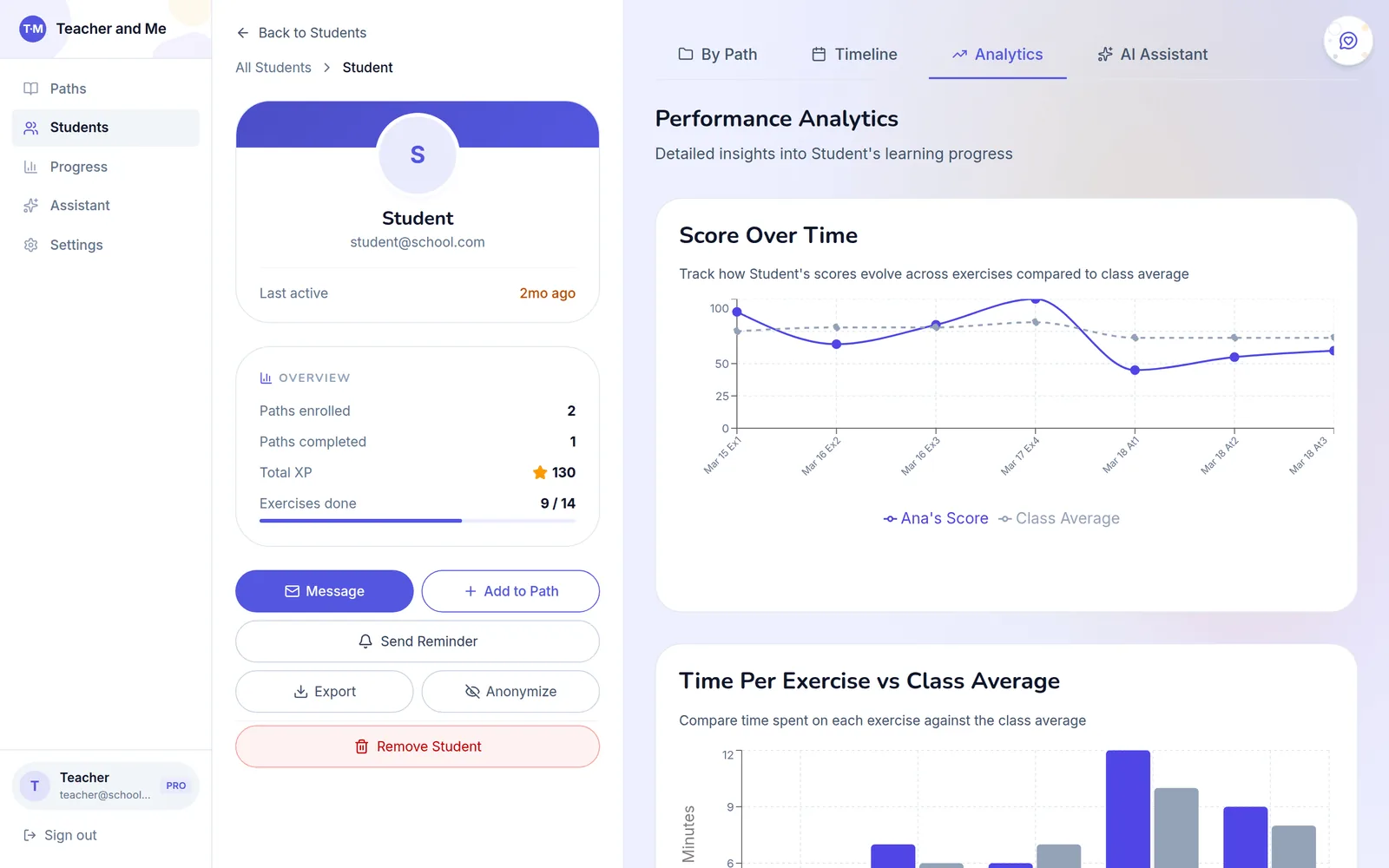
The alternative is to let the practice record itself. When your between-session exercises run in a tool built for it (the case for ditching emailed PDFs is how to get students to practise between lessons), every attempt becomes a data point without anyone doing admin:
- which exercises were completed, and when in the week;
- per exercise: right or wrong, which wrong answer, how many retries, and time-on-task;
- the same picture accumulated over weeks, per skill.
That last layer is where diagnosis lives. A concrete example from the FLE world: your student's overall score on a passé composé set is a healthy 8/10. But the two misses are both descendre with avoir, and the time-on-task shows every être-verb answer took twice as long as the rest. The score says "fine"; the diagnostics say "the auxiliary rule isn't automatic yet, and here are the exact verbs to drill".
This is precisely what Teacher and Me's teacher dashboard is built around: assign the set after the lesson, and walk into the next one with the attempt-by-attempt picture already open. Prep time goes down because the data went up: you stop spending the first ten minutes of each session rediscovering what the week already proved.
Effect of feedback on learning, by type of feedback
- 95% confidence interval
- All feedback, extreme values excluded: d = 0.48
Feedback that explains how and why an answer went wrong had about twice the effect of feedback that only marks it right or wrong and gives the correct answer.
- The studies range from kindergarten to university and from motor skills to a foreign language; they are not specific to language learning.
- The three types account for 319 (39 + 238 + 42, calculated by Teacher and Me) of the 994 effects in the meta-analysis.
- The dashed line leaves out the 3.5% of effects the authors excluded as extreme values; with them, the paper reports d = 0.55.
- Effect size d: the difference, in standard deviations, from a comparison group or, in pre-post studies, from the same students' pre-test.
- An auto-marked exercise gives corrective feedback. The how and why is the tutor's part, and the error data is what lets the tutor give it.
Source: Wisniewski, B., Zierer, K., & Hattie, J. (2020), The Power of Feedback Revisited: A Meta-Analysis of Educational Feedback Research, Frontiers in Psychology 10:3087, Table 3. Published 22 January 2020. Retrieved 17 October 2026. Licence: CC BY 4.0. Chart by Teacher and Me.
Data table
| Type of feedback | What it gives the learner | Effects (k) | d | 95% confidence interval |
|---|---|---|---|---|
| Rewards or punishment | Pleasant or aversive consequences, little task information | 39 | 0.24 | 0.06–0.43 |
| Corrective | Right or wrong, plus the correct answer | 238 | 0.46 | 0.39–0.55 |
| High-information | Corrective, plus how and why: process and self-regulation | 42 | 0.99 | 0.82–1.15 |
A worked example: one month with a B1 student
Here's the system end to end, with realistic numbers. Léa, B1 French, two lessons a week, goal of comfortable workplace conversation. (Her month is the example sheet of the tracker template.)
Week 1: baseline. Two short diagnostic sets after the first lessons. The picture: passé composé accuracy 55% (auxiliary choice is the failure mode, not the participles), subjonctif after il faut que 40%, B1 connectors solid at 85%. Practice happened once, the night before lesson two. Three live skills chosen; connectors retired from tracking.
If you teach French, give a new student a baseline before the first lesson: the free French level test (A1–C2).
Weeks 2–3: the targeted loop. Each lesson ends with one 10-item set on auxiliaries or the subjunctive, plus a mid-week mixed set. The diagnostics sharpen the diagnosis: être-verbs of movement are fine now except descendre and monter used transitively, a B2 subtlety hiding inside a B1 score. Lesson time shifts to exactly that.
Week 4: review. Auxiliaries at 85% (from 55%), subjunctive at 70% (from 40%), and practice now lands three evenings a week, which is what moved the other two numbers. The five-minute review shows Léa the two curves; the one-paragraph email to her employer's HR shows the same numbers plus next month's targets. Renewal took one reply: "great, same schedule."
The total tracking overhead across the month: choosing three skills, and reading dashboards for a few minutes before each lesson. Nothing was typed into a spreadsheet at 9pm.
Adapting the system to the student's goal
The three-numbers frame holds, but what fills it should follow the goal:
- Exam candidates (DELF, IELTS, Cambridge). Track by paper section, not just by skill: reading accuracy under time, listening first-pass vs. replay, writing task completion at the clock. Add one full timed mock per month; between-session sets drill the weakest section's sub-skills.
- Conversational adults. Fewer grammar lines, more recurring-error categories from their actual speech, plus the monthly 90-second monologue as a fluency anchor. Progress here is "yesterday's correction survives next week's conversation."
- School-age students. Parents are the audience: they want to see effort (consistency), trajectory (one trend line), and a teacher who knows the syllabus. The termly one-pager matters more than any dashboard, and a visible streak does wonders for the homework argument at home.
How to show progress to students and parents
Collected data only pays off when someone sees it. A cadence that works:
- Open each lesson with one data point. A single sentence like "your irregular participles went from three errors to zero this week" sets a tone of momentum and costs ten seconds.
- Run a monthly five-minute review. Show the accuracy trend on the term's target skills, one before/after sample, and the consistency picture. Let the student narrate it back to you.
- Send a one-page recap each term to whoever pays (parent, HR, or the student themselves). Three sections: where we started, what changed (with numbers), what's next. This document quietly renews contracts.
- Let the student watch their own line. Progress bars, streaks and XP on the student's side aren't the measure of progress, but they keep the practice happening that the measures depend on. And a student who watches their own streak needs less convincing at renewal time.
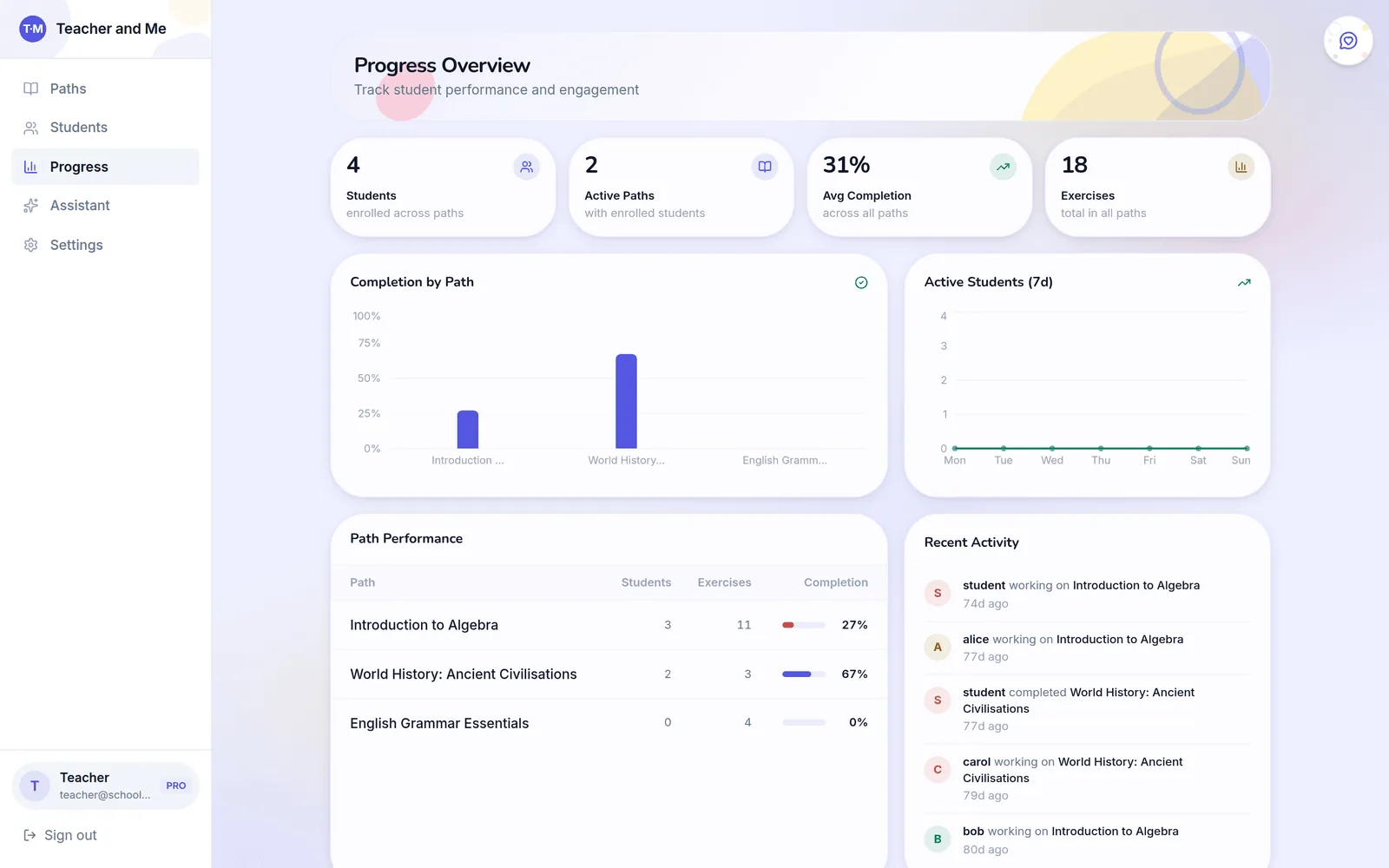
The rule underneath all four: never say "you're improving" without a number and an example within arm's reach. Precision is what separates a professional progress review from a pep talk. To see where these screens sit in the product, take the guided tour of Teacher and Me.
Sources
-
Black, P., & Wiliam, D. (1998). "Inside the Black Box: Raising Standards Through Classroom Assessment." King's College London School of Education; a version for US readers appeared in Phi Delta Kappan, 80(2), 139–148. "The formative assessment experiments produce typical effect sizes of between 0.4 and 0.7: such effect sizes are larger than most of those found for educational interventions." The review behind it: Black, P., & Wiliam, D. (1998). "Assessment and Classroom Learning." Assessment in Education: Principles, Policy & Practice, 5(1), 7–74. https://doi.org/10.1080/0969595980050102 ↩ back
-
Dunlosky, J., Rawson, K. A., Marsh, E. J., Nathan, M. J., & Willingham, D. T. (2013). "Improving Students' Learning With Effective Learning Techniques." Psychological Science in the Public Interest, 14(1), 4–58. https://doi.org/10.1177/1529100612453266 ↩ back
-
Council of Europe, Common European Framework of Reference for Languages, and its self-assessment grid (A1–C2). https://www.coe.int/en/web/common-european-framework-reference-languages ↩ back